Your website.
Know what
to fix.
Meet CoreCrawl. Free website audits that turn technical issues into clear priorities, practical explanations and reports you can share.
No account. No subscription. Crawl results stay on your Mac.
Less guesswork.
More clarity.
Find the issues, understand why they matter and see which pages need your attention.
Start with what matters.
A clear priority list helps you decide where to begin. Explore the pages behind each issue, from missing descriptions to duplicate titles.
- Review issues by priority
- Find the pages affected
- Use the health score as a starting guide
Based on a public test-site example. A partial crawl describes only the pages reached.
Why it matters
A good description gives people a reason to click.
How to fix it
Write one or two sentences that sum up the page and give a reason to visit.
A simplified example of the guidance, rather than an app screenshot.
Every issue.
Clear answers.
See what happened, why it matters and what to review. Practical explanations put the finding in context so you can take the next step.
- Page titles and meta descriptions
- Redirect and indexing checks
- Explanations alongside affected pages
See how your
site connects.
Explore links between the pages crawled. The link map gives you another way to investigate buried pages and understand their connections.
The map follows the pages reached by the crawl.
Keep your results
close to home.
No account. No subscription.
CoreCrawl offers free website audits for Mac without an account or a recurring subscription.
Crawl results stay local.
Nothing is uploaded to Tech Reality. Your crawl results stay on your Mac.
Checks connect to the sites you audit.
The app contacts sites to run your checks.
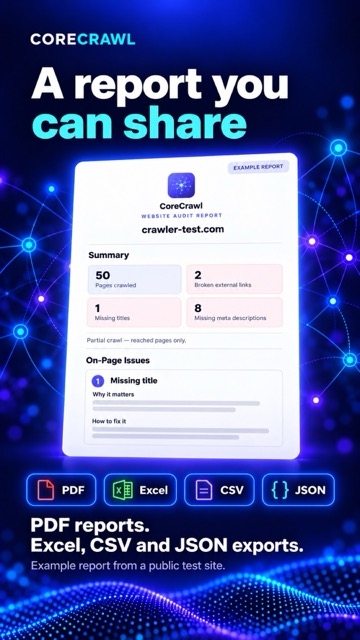
A report you
can share.
Keep a readable record of the audit or pass the findings to the person making the changes.
PDF reports for sharing. Excel, CSV and JSON exports for working with the results.
Take a closer look.
A closer look at CoreCrawl.
Select any frame to enlarge it. Promotional visuals include simplified illustrations.
Before you start.
Which Macs will CoreCrawl run on?
CoreCrawl requires an Apple Silicon Mac with an M1 chip or later, running macOS 13 or newer.
Is CoreCrawl free?
Yes. The free version of CoreCrawl is available now. No account or subscription is required.
Are my crawl results uploaded?
Crawl results stay local on your Mac. Nothing is uploaded to Tech Reality. The app contacts websites to run your checks.
Does a score cover the whole website?
Use the score as a guide to where to start. If a crawl stops before covering the whole site, its score is provisional and describes only the pages reached.
Where can I download CoreCrawl Free?
CoreCrawl Free is available now. Use the download button to open the official GitHub release page in a new tab. It includes CoreCrawl.dmg, the checksum and the guides.
What should I know before opening it?
CoreCrawl is not notarised by Apple, so macOS displays a verification warning on first launch. Read the How to Open CoreCrawl guide included on the GitHub release page before you begin.
A clearer picture
of your website.
CoreCrawl Free is available now.
Download the app and guides from the official GitHub release page.
Apple Silicon M1 or later · macOS 13 or newer